
A sign shop that knows when someone’s at the door.
I turned the TVs, speakers and security cameras at Custom Graphics & Sign Designs into one self-hosted system that informs the team, plays the music and announces visitors on its own — on hardware the shop owns, with no subscriptions.
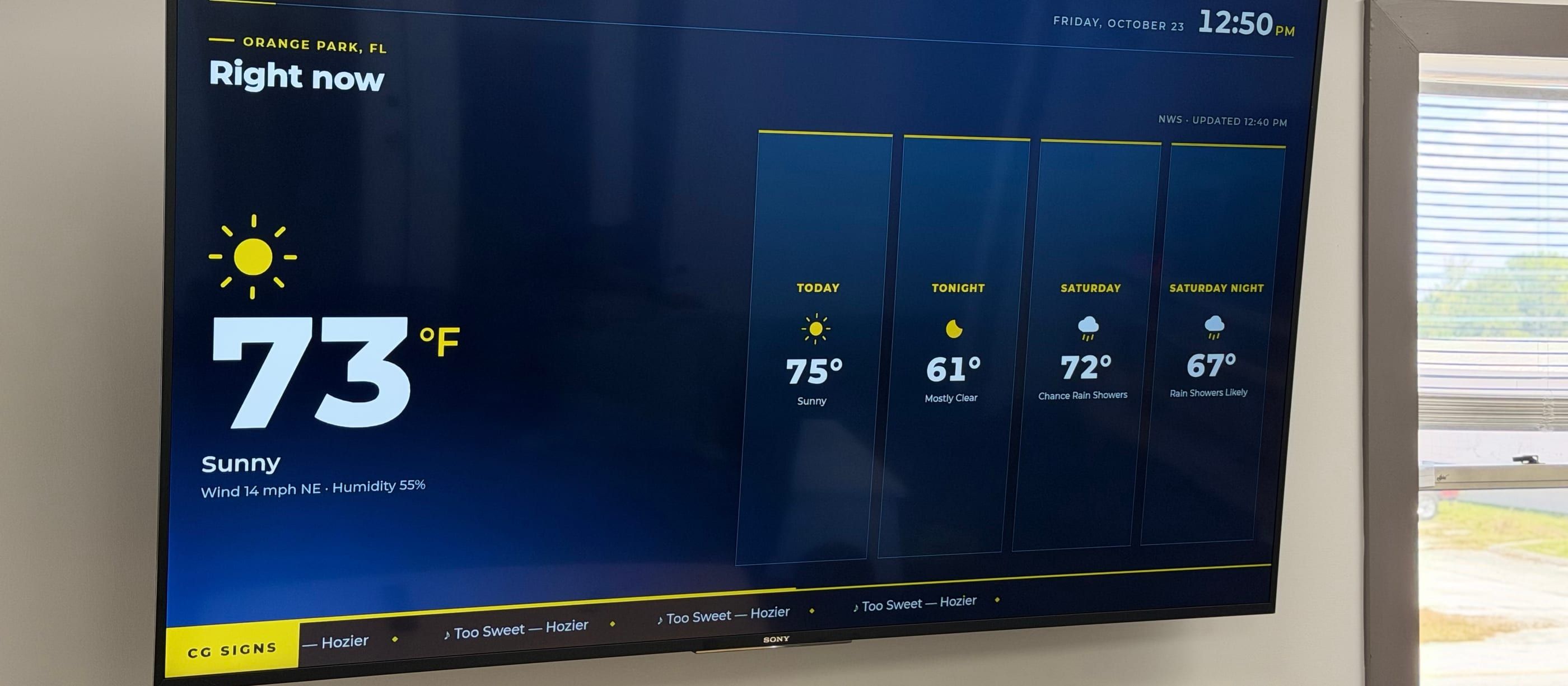
01 — THE CHALLENGE
The building had all the right equipment, and none of it talked to anything else.
The TV signage apps charged per screen, per month. Checking a camera meant opening a vendor app, so nobody did. The speakers played one stream for the whole building, and a visitor at an empty front desk could wait with no one knowing.
02 — WHAT I BUILT
One system now runs the screens, the music and the front door — visitors and deliveries are announced over the speakers on their own.
Raspberry Pi · Python · PipeWire · AirPlay · Person detection · Offline text-to-speech · Claude Code
03 — THE RESULT
$0/mo
Signage, audio, cameras and visitor announcements run on $550 of hardware the shop owns, bought once — no subscriptions.
HOW IT FITS TOGETHER
- Cameras Live video for the team, and person detection at the front desk and the shop door.
- Signage editor One page for the playlist, ticker, portfolio and announcements.
- CGSigns OS The live production board for the staff screens.
One connected system
- Camera relay
- Person detection
- Announcements
- Signage feeds
- Audio zones
- Office and shop speakers Separate music zones, with announcements over the top.
- Staff and lobby TVs Signage, with the production board kept off the lobby screens.
- Any screen in the building Every camera, live in a browser.
OFFICE SIGNAGE
The TVs run themselves.
Each TV is driven by a Raspberry Pi — about $110, once — running a full-screen browser that boots straight into the display. Content lives on a small server on the shop’s own network, not in anyone’s cloud.
- Two feeds from one source. Staff screens show a live production board pulled from CGSigns OS, the shop’s business platform. Lobby screens get a separate feed with that board removed entirely, so a customer in the waiting area never sees what’s on the schedule.
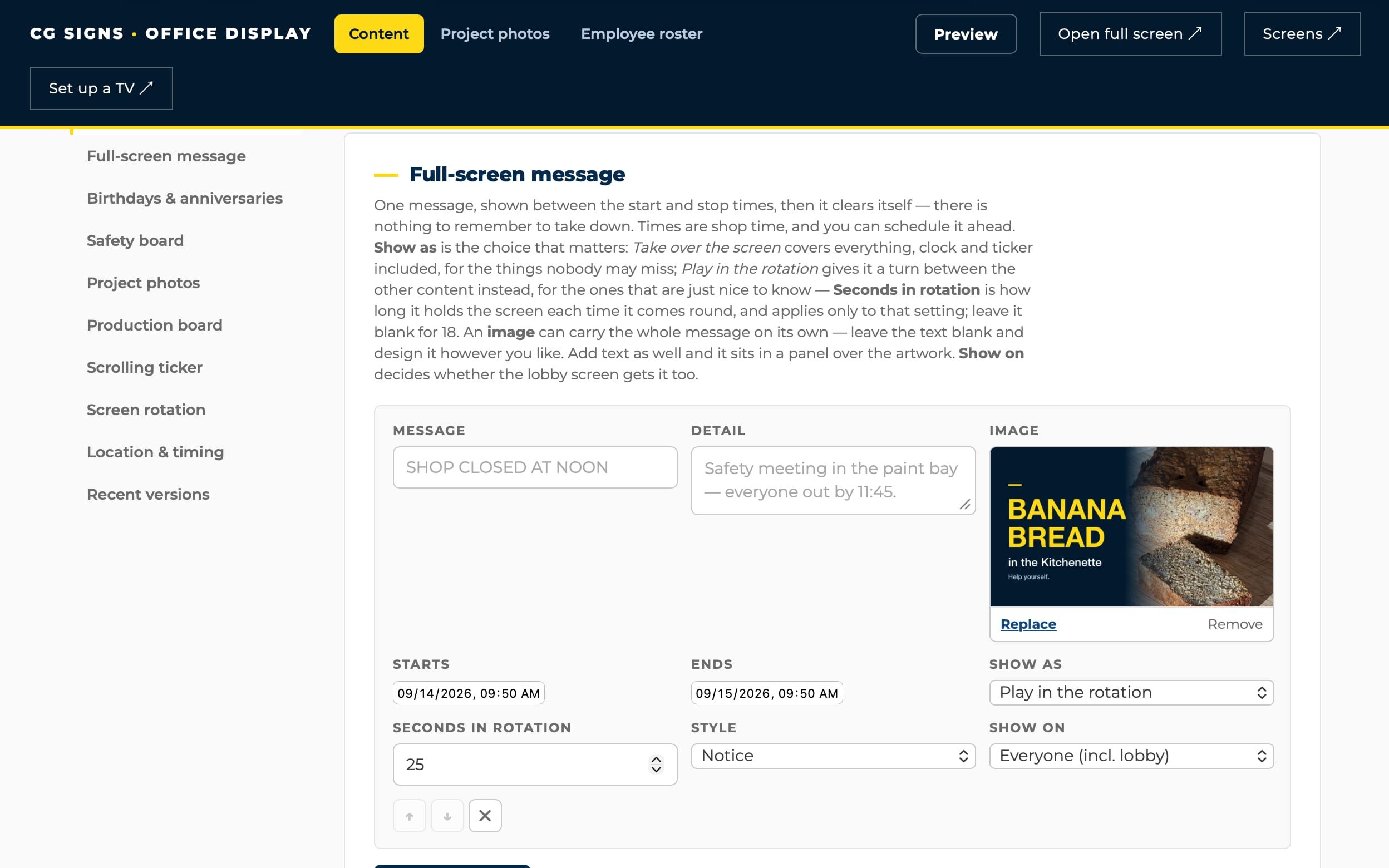
- One editor for everything. A simple web page manages the playlist, a news ticker, the portfolio, safety messages, announcements and team celebrations. Screens pick up changes within a minute.
- No remote to hunt for. The Pi wakes the TV, switches it to the right input and puts it to sleep on a daily schedule over HDMI-CEC. New screens are found on the network and added in two clicks.
- It fails safe. If the production feed can’t be reached, the screens keep showing the last good board instead of going blank.
That frees the Apple TVs the shop already owned for rooms where AirPlay is actually useful.
OFFICE AND SHOP AUDIO
Every zone plays its own music, and announcements cut through.
A single Raspberry Pi 5 runs the building’s sound. Each zone is one USB audio interface feeding one amplifier, and the office TV doubles as a zone over its own HDMI cable.
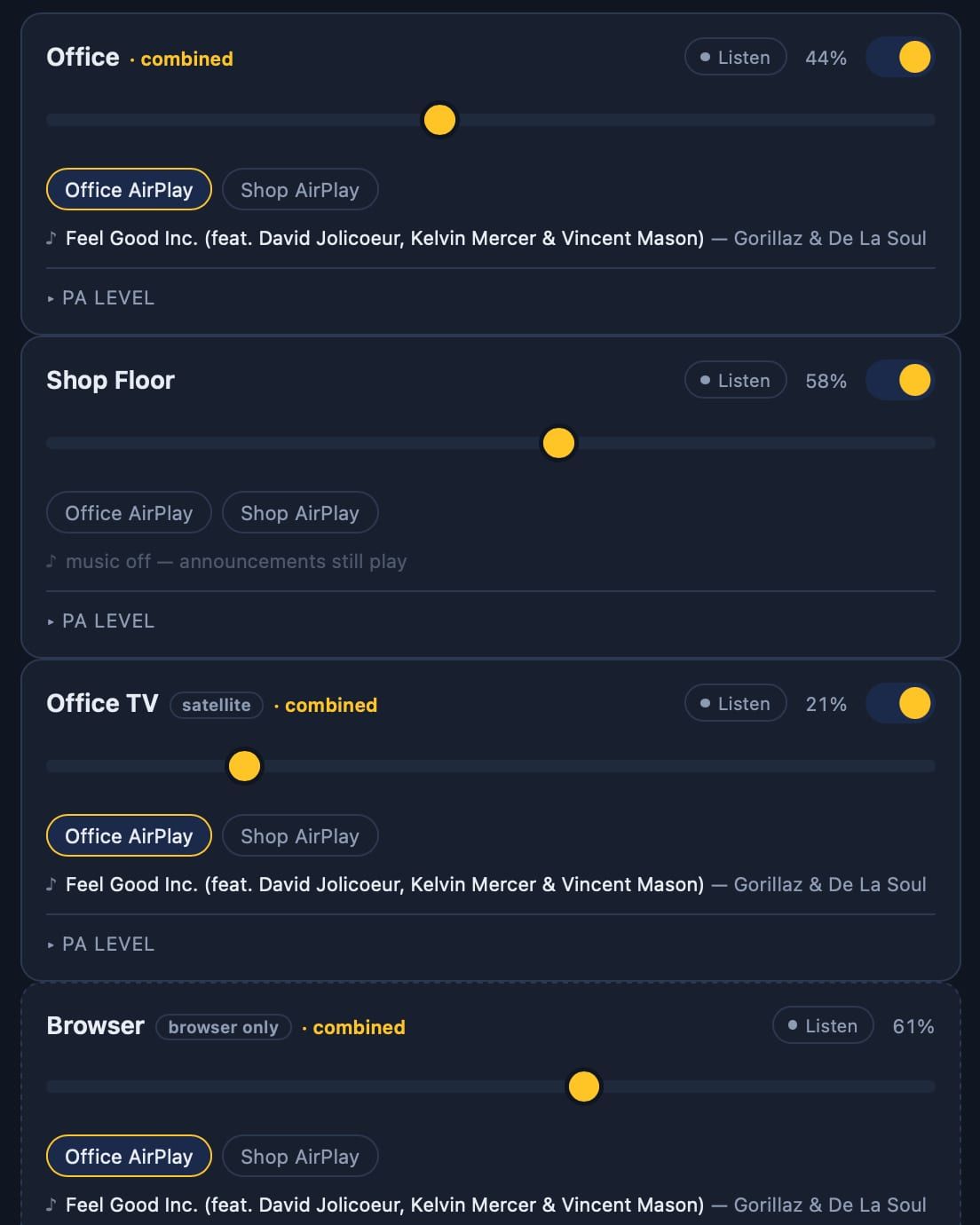
- Independent zones. The office and the shop each appear as their own AirPlay speaker, so anyone on the team can stream to either from a phone — or point both at the same source to play the whole building.
- Separate music and announcement volumes. Every zone has its own music level and its own announcement level, set from a phone. Turning the music down never makes announcements quieter.
- Announcements that don’t step on the music. Spoken announcements and live push-to-talk from a team phone duck the music, play, then bring it back mid-track instead of restarting it.
- No clipped first words. The announcement path stays open and silent between uses, so a page starts instantly — the difference between “Jamie, line two” and “amie, line two.”
- Listen from your desk. Any zone can be heard in a browser exactly as its speakers play it, announcements included.
Announcements are generated by an offline text-to-speech voice once, at startup, so pressing a button plays the clip immediately. Changing the wording regenerates it on the next restart.
CAMERA VIEWER
Every camera, on any screen in the building.
One web page shows every shop camera live — on a phone, a laptop or the wall TV — without a separate app. The existing recorder keeps recording exactly as before; this is a live view layered on top, and it stays inside the shop’s network.
- Each camera streams once. A small relay server holds a single connection per camera and shares it with every viewer. Ten people watching still means one stream per camera, and the video is repackaged rather than re-encoded, so the server barely notices.
- Fast where it matters. The grid uses each camera’s lighter substream; clicking a tile opens its full-resolution feed.
- It looks after itself. The grid resizes to fill any screen, and a tile that drops or freezes reconnects on its own.
- Setup without the manual. Adding a camera takes a name and one click — the setup page finds the right stream settings on its own.
- Two buttons that act in the real world. Visitor and Delivery play a spoken announcement over the building speakers — one press, with a short lockout so a double-click can’t fire it twice.
VISITOR ANNOUNCEMENTS
The cameras cover the times nobody is watching.
The buttons cover the times someone is watching the cameras. The cameras cover the rest: two of them watch for people waiting, and announce them over the speakers automatically.
-
Reception
When nobody is at the front desk and someone has waited in the lobby for 15 seconds: “A visitor needs assistance in reception.”
-
Shop door
When someone has stood at the doorway for 10 seconds: “A delivery has arrived at the shop door.”
Neither repeats itself, and the desk counts as occupied for a short while after someone was last seen there, so bending down to grab something doesn’t trigger a page.
PERSON DETECTION
Detecting people, not motion.
The rule is about people standing still. Someone sitting at the front desk makes no motion, and neither does someone patiently waiting. Motion detection answers the wrong question, so each camera runs a person-detection model on the shop’s own server — no video goes to an outside service.
The detector takes about half a second per frame. Instead of queueing frames it can’t keep up with, it always grabs the newest one and drops the rest. Otherwise a 15-second wait would gradually be measured against video that was older and older.
The detector draws a box around each person, and the real decision is which point in that box has to be inside a zone. Every camera sees people differently, so each zone chooses for itself.
- Feet. Where the floor is visible — the most precise, because it keys on where someone actually stands.
- Head. Where vehicles or furniture block the lower half of the frame and cut the box off at a different height every time.
- Any part. At the front desk, where the camera only sees part of whoever is sitting there.
Zones are drawn by clicking points on a live frame, with the detections drawn over it, so tuning a camera takes minutes rather than guesswork.
WHAT I LEARNED
-
The hard part is the edge cases, not the feature.
Getting audio out of a Pi takes an afternoon. Making sure the music still works after the audio service restarts, that two programs never fight over the same sound card, and that an announcement never loses its first syllable — that’s where the real work went.
-
Ask the right question of the sensor.
“Is something moving?” and “Is someone waiting?” sound alike and behave nothing alike. Defining the rule precisely — who must be absent, who must be present, for how long — mattered more than the detection model.
-
Subscriptions are a design choice.
Every one of these systems has a monthly-fee version. Owning the hardware and keeping it on the shop’s own network cost $550 once, and it does exactly what the shop needs instead of what a vendor decided it needs.
-
Write it down as you go.
Every system has a setup guide and a list of the gotchas that took hours to find, so the next fix takes minutes — whether I’m the one doing it or not.
WHERE IT STANDS
Running in the building today.
The signage, audio, camera viewer and visitor announcements are in daily use. The last piece is paging from the desk phones through the same speakers. The audio side is built and tested; it’s waiting on a paging device for the phone system.